
Write intentions, not JavaScript.
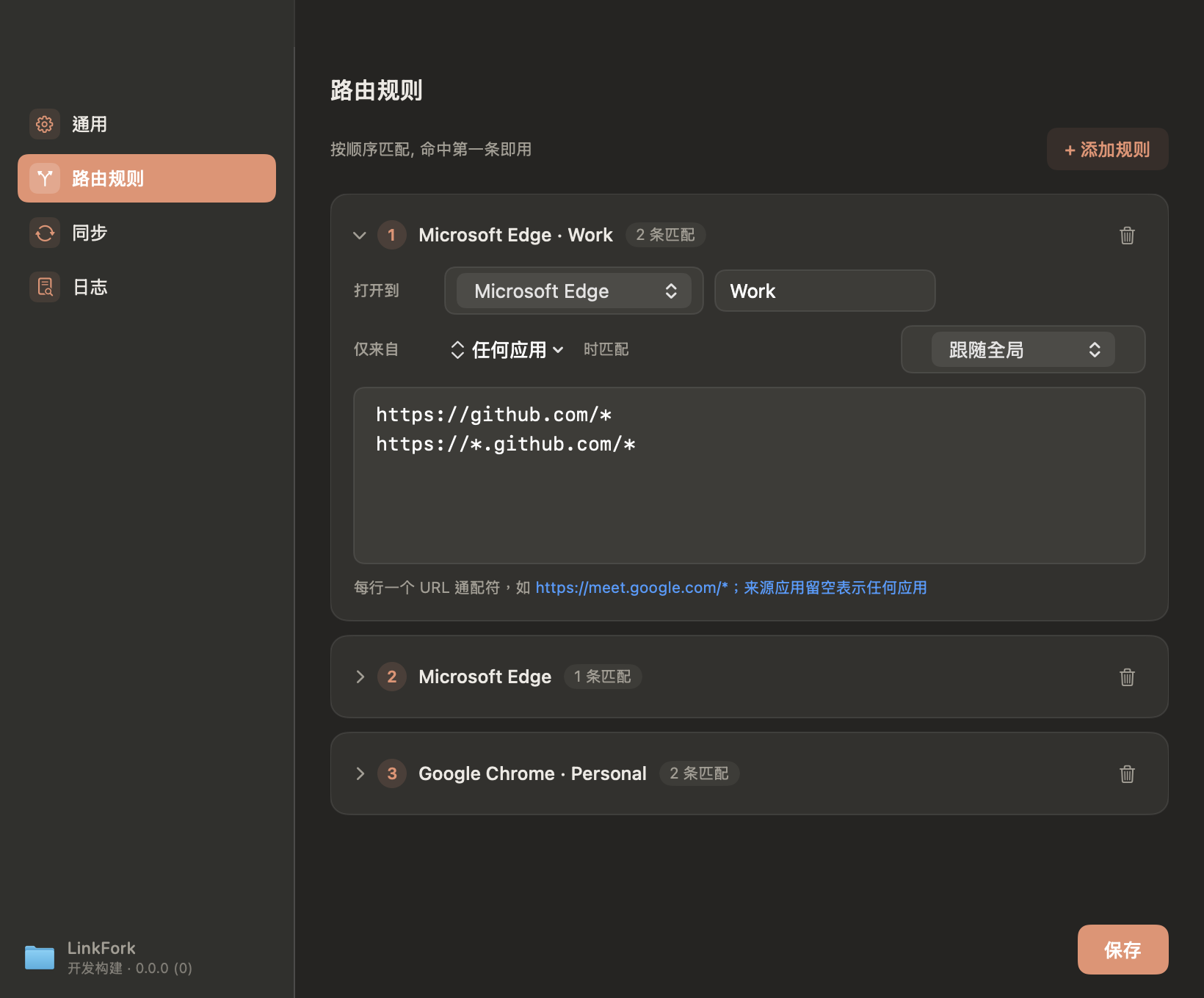
Choose a site, browser and profile in a native settings window. Rules save as readable JSON and take effect immediately.
Native macOS utility
LinkFork sends every link to the browser, and the exact profile, where it belongs. No scripts. No picker fatigue. Just click.
macOS 12+, Apple silicon & Intel
The small interruption, all day long
A client tab lands in your personal profile. A private search opens beside a work call. The operating system sees one default browser; your day has many contexts.
LinkFork sits in that missing layer.
One click. Three quiet decisions.
LinkFork catches the system link before a browser claims it.
Domain, browser and profile are matched in order. The first clear rule wins.
Chrome opens Work, not whichever window happened to be in front.
The product, not a promise
The interface removes the configuration work that made link routing feel like a developer-only habit.
Choose a site, browser and profile in a native settings window. Rules save as readable JSON and take effect immediately.
Read the current tab and add, repair or remove its rule without leaving the browser.
Chrome, Edge, Brave, Vivaldi and Chromium profiles appear by their real display names. No directory archaeology required.
Tag any rule with a context, then flip it from the menu bar. The same link opens your work profile on the clock, your personal one after — no rule to touch.
A small Swift app that stays out of the Dock and out of your way.
Plain JSON rules and local logs you can inspect.
Route to Chrome and Edge profiles by the name you recognize.
See what matched, then fix a rule from the page you are on.
Platforms
LinkFork is available for macOS first. A shared routing specification is being prepared so future Windows and Linux apps can feel native without drifting in behavior. There is no download link on this page yet — a self-signed, publicly downloadable macOS build is in preparation.
macOS: Available now · Native Swift · menu bar · Services
Windows (On the map) · Linux (Exploring)
Routes today to Safari, Chrome, Chrome Canary, Edge and Firefox.
The transparency promise
No account. No telemetry. No remote rule engine. LinkFork reads only what it needs to route a link, and keeps its decisions on your Mac.
Human-readable rulesLocal decision logZero runtime dependencies
Useful details